


.png)


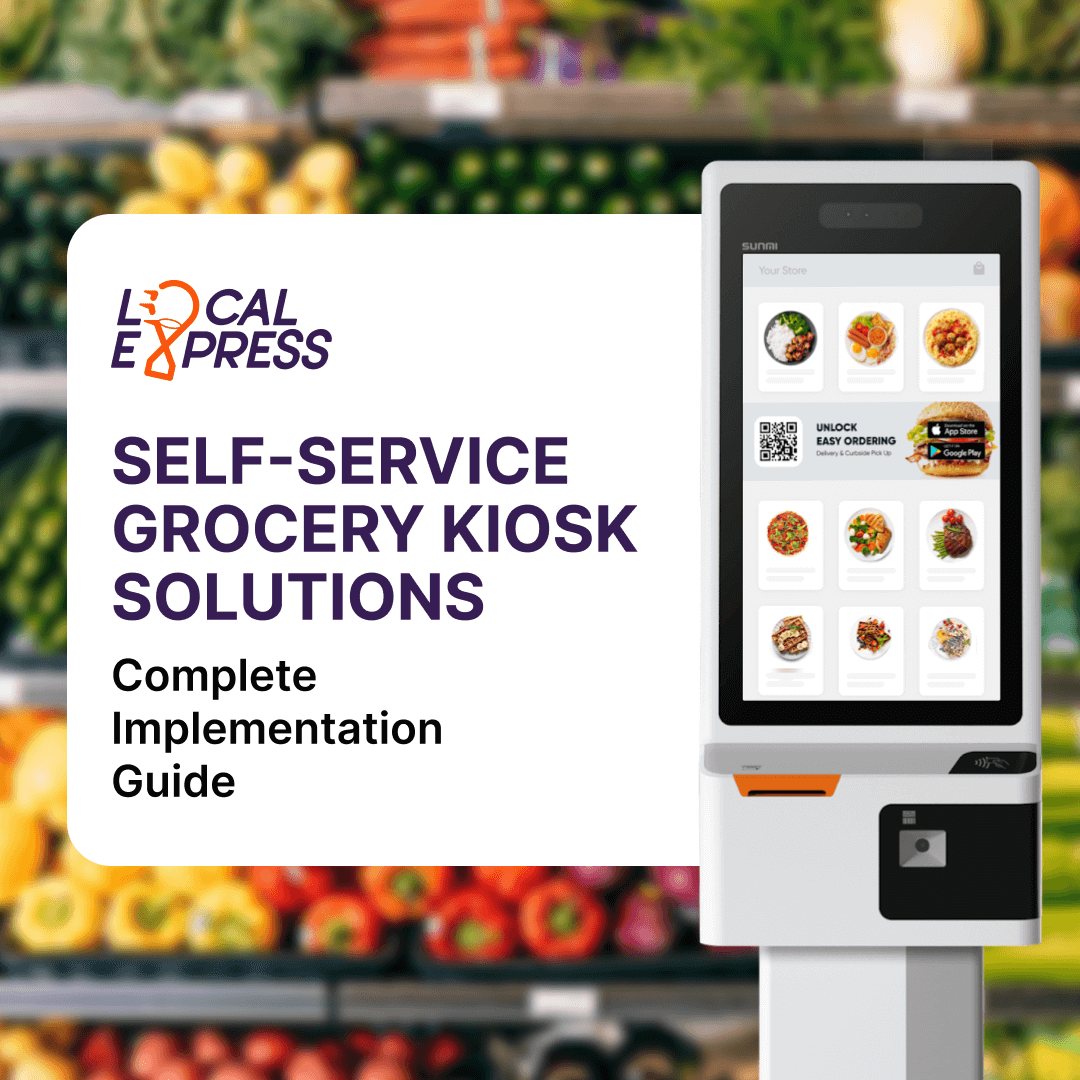


Self-service grocery kiosks deliver measurable returns for food retailers—they reduce labor costs while increasing transaction throughput by 35-50% during peak hours. Modern self-ordering kiosk systems combine touchscreen hardware, POS integration, and multiple payment options to create frictionless customer experiences that boost revenue without adding headcount. This guide walks you through everything from hardware selection to full deployment, helping you achieve a strong return on investment.
Self-service kiosks have moved from convenience store novelty to essential grocery infrastructure. These interactive terminals allow customers to scan products, customize orders, and complete payments without cashier assistance. The technology combines locked-down touchscreen interfaces with barcode scanners, payment terminals, and direct integration with your existing POS and inventory management systems.
The business case is straightforward: grocery retailers face persistent labor shortages and rising wage costs while customer expectations for speed continue climbing. Self-checkout kiosks address both pressures simultaneously. They handle multiple transactions simultaneously during rush hours when staffed lanes create bottlenecks, and they operate consistently without sick days, turnover, or overtime.
For food retailers competing against big retailers with massive technology budgets, kiosks level the playing field. They provide enterprise-grade checkout efficiency at accessible price points, letting grocers deliver the modern shopping experience customers now expect.
The difference between successful kiosk deployments and expensive failures comes down to integration. Your kiosks must communicate seamlessly with your POS, inventory database, and payment processor to deliver accurate pricing, real-time stock levels, and reliable transactions. AI-powered integration platforms streamline this process by automatically mapping data across systems.
Real-time POS synchronization prevents the most damaging kiosk failures: wrong prices, out-of-stock items appearing available, and disconnected sales reporting. When a customer scans an item, the kiosk must pull current pricing from your POS instantly—not from a cached database updated overnight.
Leading grocery POS systems like NCR, Toshiba, and IT Retail offer pre-built kiosk connectors that sync inventory, pricing, and promotions automatically. The integration maps product SKUs, tax rates, and discount rules between systems, ensuring customers see the same prices at kiosks as at staffed lanes.
Critical integration requirements include:
For grocers with existing POS systems, adding kiosks through API integration avoids the disruption of full system replacement while still achieving unified operations.
Self-service kiosks handling customer payments must meet strict security standards. PCI DSS compliance is mandatory for any kiosk accepting credit or debit cards, requiring end-to-end encryption, tamper-resistant hardware, and network segmentation.
Key compliance requirements for grocery kiosks:
These aren't optional checkboxes—non-compliance with PCI standards can result in significant fines from payment processors plus liability for fraud losses.
Self-ordering kiosks generate returns through multiple channels simultaneously. The most obvious is labor optimization—one attendant can monitor multiple kiosks versus one cashier per traditional lane. But the revenue impact extends far beyond payroll savings.
Kiosks consistently outperform human cashiers at suggestive selling. Unlike busy staff rushing through transactions, kiosks display add-on recommendations on every order without fail. Research shows kiosks drive increased average order values through these automated upsells.
The throughput gains compound during peak hours when traditional checkout creates the longest waits and highest abandonment. With kiosks handling small-basket shoppers, staffed lanes move faster for full carts, and overall store capacity increases significantly without adding square footage.
For deli and prepared food departments, self-ordering kiosks eliminate order-taking bottlenecks entirely. Customers select items, customize specifications, and pay at the kiosk while staff focus on preparation. Grocers report substantial staff productivity improvements and sales increases after kiosk deployment in these departments.
Customer adoption determines kiosk ROI. A confusing interface creates frustrated shoppers who abandon transactions and avoid kiosks entirely. Successful deployments prioritize intuitive design from the first interaction.
Effective kiosk interfaces share common characteristics:
Brand consistency matters for customer trust. Your kiosks should display your store logo, match your color scheme, and feel like an extension of your shopping environment rather than generic third-party equipment. Modern kiosk platforms offer full customization of interface elements including button layouts, promotional displays, and receipt formatting.
Every kiosk transaction generates valuable data that most grocers underutilize. Beyond basic sales reporting, kiosks capture detailed behavioral insights: which products customers scan but don't purchase, peak usage times by department, average transaction duration, and conversion rates from browse to buy.
This data feeds directly into smarter inventory decisions. When kiosk analytics show specific products consistently scanned but returned to shelf, you've identified pricing or placement problems. When deli kiosk orders spike at certain times, you can staff preparation accordingly.
Customer preference data from kiosks powers personalized marketing when connected to your loyalty program. Shopping patterns visible through kiosk transactions help segment customers and target promotions to actual purchase behavior rather than demographic assumptions. The analytical advantage compounds when kiosk data integrates with your omnichannel commerce platform.
Successful kiosk deployment follows a structured timeline. Plan for 2-6 weeks from contract signing to pilot launch, with full rollout taking 3-6 months for multi-location grocers.
Common implementation failures stem from skipping the pilot phase. Grocers who deploy all kiosks simultaneously without testing report higher initial friction in the first month compared to phased approaches.
Payment acceptance directly impacts kiosk adoption rates. Customers expect to pay at kiosks exactly as they would at staffed lanes—with whatever payment method they prefer.
Essential payment capabilities include:
Payment terminal setup requires coordination with your processor to ensure "card-present" rates apply. Some processors incorrectly classify kiosk transactions as "card-not-present," charging higher fees. Verify classification during setup to avoid ongoing margin erosion.
The Scan, Pay and Go model takes payment flexibility further, allowing customers to complete transactions via their mobile phones rather than kiosk-mounted terminals—reducing hardware costs while accelerating checkout.
Kiosks reach their full potential when connected to broader omnichannel commerce strategies. Rather than standalone checkout terminals, they become touchpoints in seamless shopping journeys spanning online, mobile, and in-store channels.
The integration opportunities are substantial:
This connected approach requires platforms that unify data across touchpoints rather than siloed kiosk software. For grocers already running e-commerce operations, adding kiosks through an integrated platform avoids the technical debt of multiple disconnected systems requiring manual reconciliation.
LocalExpress delivers the unified platform architecture that transforms kiosks from isolated terminals into connected commerce touchpoints. Unlike point solutions requiring custom integration work, LocalExpress provides native kiosk functionality within a comprehensive grocery commerce ecosystem powered by AI-driven optimization.
The Self-Ordering Kiosk System from LocalExpress includes:
What sets LocalExpress apart is the unified data layer connecting kiosks to mobile apps, web storefronts, and order fulfillment. When a customer uses your kiosk, their transaction data immediately flows into the same system managing online orders—enabling consistent loyalty points, synchronized inventory, and complete customer visibility.
Implementation support includes comprehensive setup assistance, staff training, and 24/7 technical support. LocalExpress's flexible architecture scales from single-store grocers to multi-location chains, with centralized management dashboards that provide control without complexity.
Most grocers achieve pilot deployment within 2-6 weeks, depending on POS integration complexity. The timeline includes site preparation, hardware installation, and staff training. Full multi-location rollouts typically take 3-6 months with phased deployment.
Yes, modern kiosk platforms integrate with major grocery POS systems including NCR, Toshiba, and IT Retail through pre-built API connectors. Integration maps product SKUs, pricing, tax rates, and promotions for consistent customer experience. Verify specific POS compatibility with your vendor during selection.
Kiosks capture transaction-level data including products scanned, purchase patterns, peak usage times, and conversion rates. This information helps optimize inventory decisions, identify pricing problems, and personalize marketing when connected to loyalty programs. The analytical value multiplies when integrated with your omnichannel platform.
Absolutely. Professional kiosk platforms offer full interface customization including logo placement, color schemes, button layouts, and promotional displays. LocalExpress kiosks are fully brandable to align with your store's identity while maintaining consistent user experience.
LocalExpress provides comprehensive support including setup assistance, staff training programs, and 24/7 technical support. Their team guides implementation for smooth transitions with minimal disruption. Post-launch support covers troubleshooting, software updates, and configuration adjustments as your needs evolve.


