


.png)


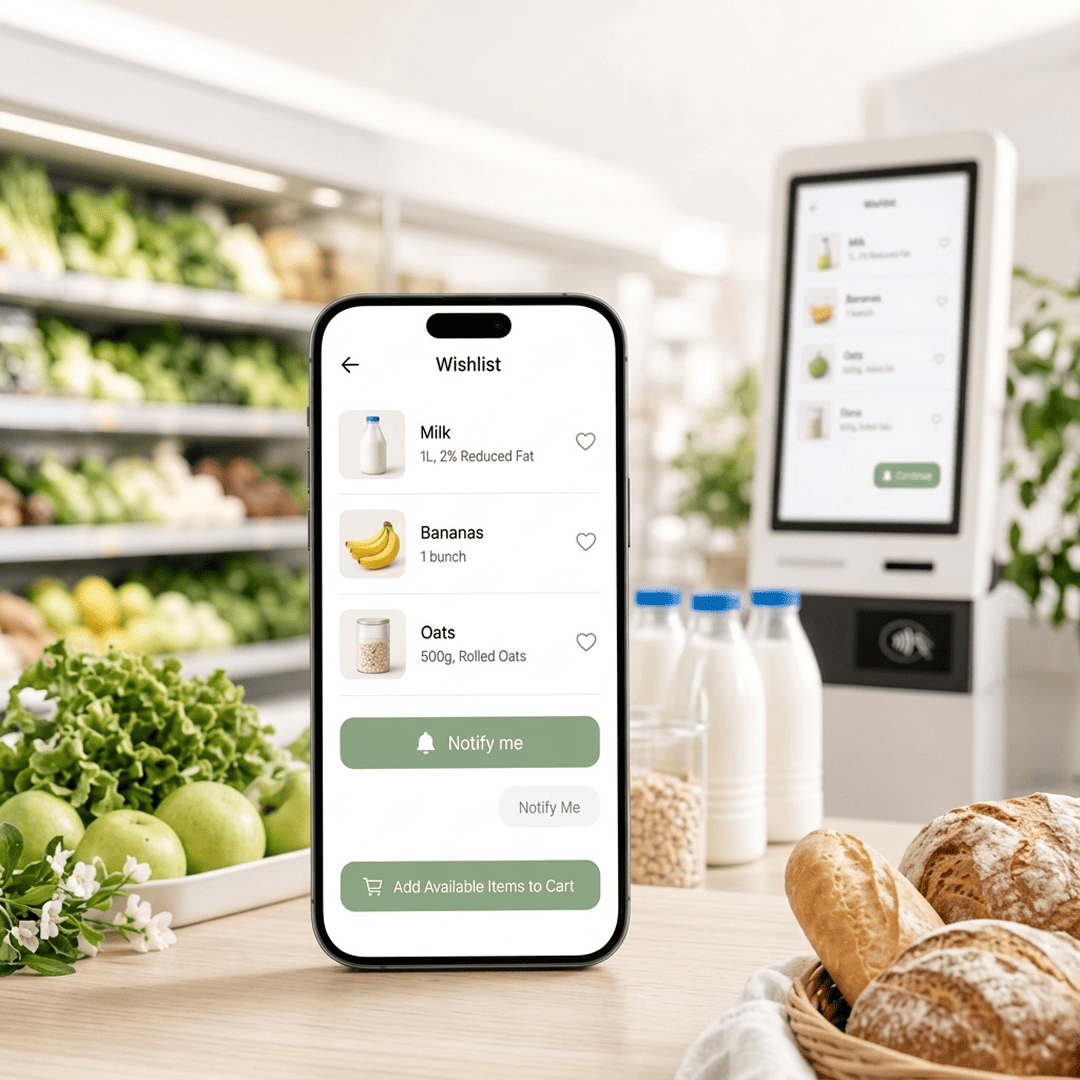



A grocery wishlist is not a fashion save-for-later button. SKUs go out of stock, prices move with the weekly ad, and seasonal substitutes rotate in mid-week. If the list is tied to a cached product ID instead of live store inventory, shoppers open it twice, see dead items, and stop using it.
This guide covers what the feature has to do for a regional grocery chain across web, branded app, and kiosk, so saved items turn into reorders instead of clutter. That includes SNAP EBT households. They cannot finish the order if a saved item is not eligible.
Grocery runs on frequency, not one-time traffic. At typical grocery margins, growth comes from repeat visits and basket size. A wishlist works on both. It shortens the path from intent to cart for the items a household buys every week, and it gives you a reason to bring the shopper back the day their item is restocked.
For SNAP EBT shoppers that path is narrower. Eligibility is SKU-level and state-level. Hot deli, some prepared foods, and a share of non-food SKUs will never clear an EBT tender. If the wishlist treats “in stock” as “can buy,” those shoppers save an item, hit checkout, and drop the order. In U.S. grocery stores that is common, not rare. It is a second inventory check. Build it in, or you pay for it in abandoned carts.
There is a second return: first-party demand data. Every saved SKU is a signal tied to a named customer at a specific store. National chains fund loyalty teams to build that picture. When orders go through a marketplace, the signal goes with them. A wishlist on your own storefront keeps it with you.
Skip the feature, and the same dozen items get searched on every visit. That is the friction that sends the order to a marketplace app.
1. Decide what a saved item actually is
Each record needs the shopper, the SKU, the store, when it was saved, and when stock was last checked. If you accept SNAP EBT, it also needs the last eligibility result for that shopper’s program. Store matters more than most teams expect. A five-location chain cannot show a blended catalog. Skip the store and, a few weeks after launch, shoppers start reporting items as in stock, or EBT-eligible, that their home store does not support.
2. Launch save-for-later, not a gift registry
A save button on the product card covers most grocery behavior: “I want this next week.” Named lists, sharing, and bulk reorder can wait. First measure whether saved items move into carts.
3. Check live stock and EBT eligibility every time the list opens
A 24-hour cache is too slow for perishables. When the shopper opens the list, the item should show as sellable at their store, or clearly not. For SNAP EBT shoppers, run eligibility in the same pass. Stock without tender is not available. Flag EBT-ineligible saves on the list itself, not only at checkout, so the shopper can swap before they rebuild the cart. If you treat the wishlist like a static product page, you will show items as available hours after they sold out.
4. Put save on the browse grid, not only the product page
Most saves happen from cards and search results. A button that lives only on the PDP misses most of that. Add a list entry in account navigation. Do not put a heart on made-to-order kiosk items. Those are prepared fresh, often EBT-ineligible, and do not behave like stocked SKUs.
5. Alert on restock and real price drops, home store only
When a saved SKU is back in stock at the shopper’s store, send the alert the same day. If the shopper pays with EBT, fire the alert only when the item is both in stock and still eligible. Cap it at one notice per SKU per week. Ping people for every small price move, or for a store across town, and they opt out.
6. Clean the list or shoppers will not trust it
Expire items with no cart activity after about 60 days. Pull discontinued SKUs within a day or two of the catalog change. Drop or relabel items that lost EBT eligibility after a formulation or category change. A list padded with things you no longer sell, or can no longer tender, trains people to ignore it. Cap the active list so it does not become a dumping ground.
7. Test one account across every channel
Use the same login on the web, the branded app, and kiosk if the list syncs there. Test the two cases that actually break grocery builds: a SKU swapped for a seasonal substitute mid-week, and an EBT shopper saving a prepared or hot item that stock still shows as available. The clean path, item in stock and payable, is the one that almost never fails in production.
8. Launch against a seasonal buy, not a quiet toggle
Pair the release with something people already plan to reserve: Thanksgiving turkeys, holiday hams, back-to-school lunch staples. In the same campaign, mark which seasonal items are EBT-eligible, so SNAP households are not saving a bird they cannot tender. A wishlist with no campaign behind it tends to sit unused.
Build it on a platform instead of stitching it together
Local Express runs a web, branded app, and self-service kiosk on one commerce platform. POS and inventory sync keep availability live at the store. SNAP EBT checks sit on the same SKU record as stock, and push marketing is already there for restock moments. Boise Co-op grew revenue 20% in its first 90 days on the platform. If saved items, EBT-safe reorders, and restock alerts are on your roadmap, get a demo and see live stock and restock push on your own catalog.
A wishlist only pays off if it becomes an order. Review checkout drop-off at the same time, and split EBT carts from the rest. The shopper who saved an item is often the same shopper who left a full cart, sometimes because a saved SKU was never payable.
What is a grocery wishlist?
A persistent, account-tied list of SKUs the shopper wants later. Unlike a cart, it has to survive sessions and show live store inventory. For SNAP households, it also has to show current EBT eligibility.
How is that different from a cart?
A cart is for the current order. A wishlist is for items they will come back to. Grocery lists need a stock, price, and tender check on every view, because the assortment turns over faster than in general retail.
How long should items stay saved?
Sixty days with no cart activity is a workable default. Use a shorter window on produce and holiday items.
One list for the chain, or one per store?
Per store. Inventory, price, and sometimes EBT handling differ by location. A global list shows items the home store does not carry or cannot tender.
Will it work with SNAP EBT?
Yes, if eligibility lives on the SKU next to stock, gets rechecked when the list opens, and blocks a restock alert when the item is no longer payable with EBT. A heart icon with no tender check is how SNAP orders die at checkout.
How should restock notices go out?
Same-day push or SMS, tied to the inventory update, home store only, one alert per SKU per week. For EBT shoppers, the item must be in stock and still eligible.
One last thing
The heart on the product card gets the save. Trust keeps the list alive. If inventory lags by more than a day, or an EBT shopper keeps seeing items they cannot pay for, they get two or three bad checks and stop opening the list, no matter how clean the UI looks.


